OBSBOT Tiny 3 and Tiny 3 Lite Exceed Expectations!
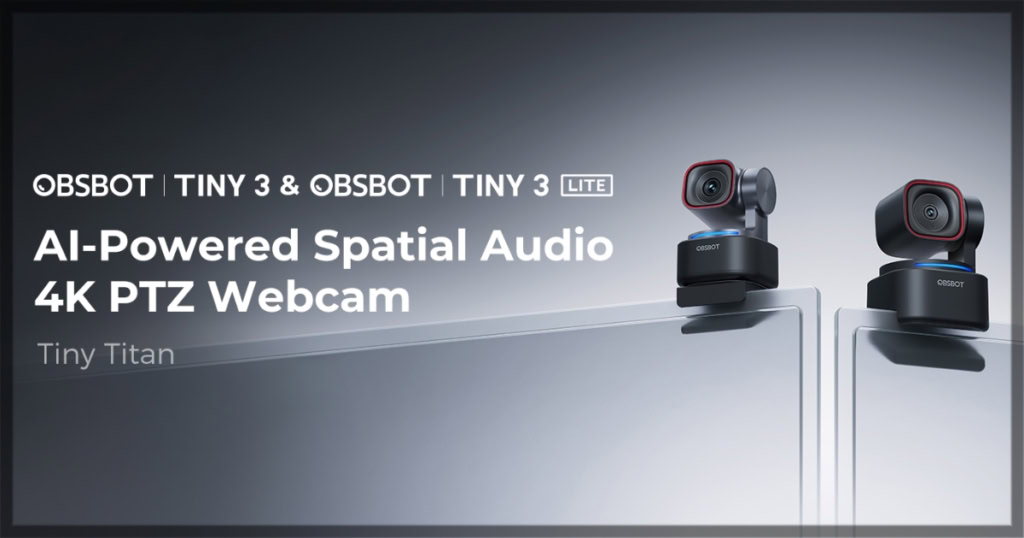
Over the past couple of years, OBSBOT has continued to produce high-quality cameras to meet your needs. From powerful cameras designed to capture conferences or performances to cameras for your computer at various price points, the company pushes the boundaries of what a camera can and should do for consumers. With many of their pieces powered by AI capabilities, such as motion tracking, their goal seems to be to make recording feel high-end and polished, all from the comfort of your home and without the studio prices. With that in mind, do the OBSBOT Tiny 3 and Tiny 3 Lite continue on that mission? Let’s dive into what these cameras offer and whether they are the right purchase for you.
[Note: while I am reviewing this item independently and honestly, it should be noted that I received the Tiny 3 and Tiny 3 Lite from OBSBOT for the purpose of this review.]
Out of the box: power comes in a tiny package
I should preface the rest of this article with the note that while I’m comparing some of the specs from the Tiny 3 and Tiny 3 Lite to those of the OBSBOT Tiny 2, I haven’t seen or experienced the Tiny 2 personally. That being said, the first impression of both the OBSBOT Tiny 3 and Tiny 3 Lite is just how… well, tiny they are.
These cameras are small, which at first might make you wonder what kind of power these pieces of technology are actually packing. However, for those who have read my reviews of the Tiny SE and MEET SE, there’s no need to worry about how much OBSBOT has packed in these cameras, as it isn’t necessarily the size here that matters.
In terms of appearance and design, the OBSBOT Tiny 3 and the OBSBOT Tiny 3 Lite are similar in design to some of their other models, such as the Tail Air, Tail 2, and more so like the OBSBOT Tiny SE. They feature a square-ish camera with a rectangular body, mounted on an arm that connects to the main body at the other end. This design allows two points of movement: the camera moves along the Y-axis (up and down), while the arm/body joint swivels left to right on the X-axis.
With so many points of movement, both the Tiny 3 and Tiny 3 Lite can provide significant coverage, no matter what needs you may have for it. Personally, I like that OBSBOT cameras can auto-track you, as I tend to shift and move while recording podcasts. So I really need a camera that can keep up with my pace, even if I’m supposed to be sitting still.
Both cameras are sleek, with completely black bodies and a small red ring around the lens. To me, this appears professional, regardless of what your office looks like. I know many people want technology pieces that fit specific office aesthetics, so they seek out colors or designs that fade into the background.
Personally, I think that technology can make a statement and basically become decor if you let it. Take my living room, for example: the entire room is centered on the obscenely large television, so should it be both pleasing to the eye and make a statement?
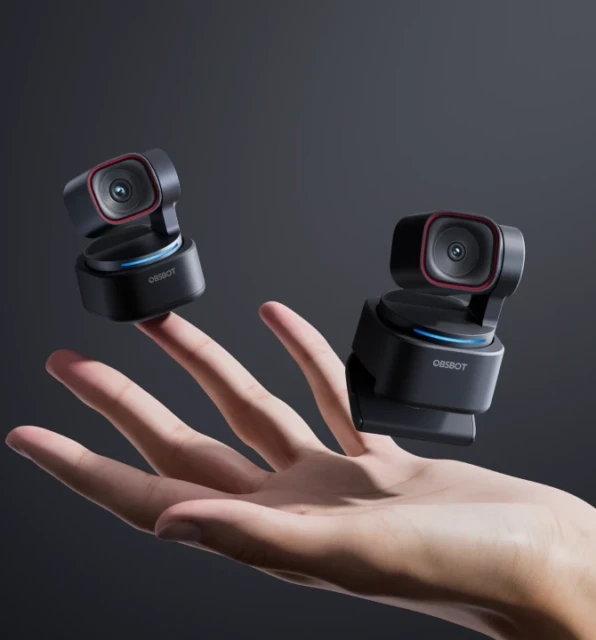
All that to say, I think both cameras in the Tiny 3 series blend those aspects. It’s sleek enough to make a statement if it suits you, as it might be the first thing people notice as they sit down at your computer. However, it’s also small enough that it doesn’t stick out like a sore thumb and feels like a part of the environment without feeling like a problem or an eyesore. For those looking for exact dimensions, the Tiny 3 measures 37x37x49mm, while the Tiny 3 Lite measures 41x41x58mm.
So while they may look small, I know most people are concerned about what’s inside the casing. So let’s break down the stats and impressions of OBSBOT’s Tiny series inner workings!
The OBSBOT Tiny 3 and Tiny 3 Lite come with big power
Much like the other OBSBOT cameras I’ve reviewed, set up is relatively easy, as long as you have the appropriate apps and updates. I’ve been an Apple user for as long as I can remember, which includes all of my computers. When I first reviewed the OBSBOT Talent and Tail Air 2, I struggled with connectivity because they didn’t seem to connect to my computer without numerous apps and updates. However, with each new camera, it has gotten much easier.
So much so that it felt like the Tiny 3 and Tiny 3 Lite connected with little to no issues, with my biggest issue being getting the cameras synced with the OBSBOT app. Even that pales in comparison to the days of fighting with my computer to get it to interface with the cameras. Perhaps I’ve become a pro at troubleshooting technology, but the more likely answer is that OBSBOT has continued to improve how its technology connects and interacts with consumers’ existing setups.
Once they are connected, that’s when these PTZ cameras really get the chance to shine. The improvement over other OBSBOT cameras, including the Tiny 3 and Tiny 3 Lite, is noticeable immediately. The way the camera moves is smoother, perhaps one of the smoothest cameras I’ve worked with to date. Think of melting butter sliding across a hot pan, and you might be able to visualize just how smooth the tracking is.
OBSBOT has given both of these cameras seamless AI tracking, specifically the 2.0 version. So as you move and gesture, the camera responds, keeping you in focus regardless of how much movement you’re giving. The cameras also boast an impressive 30 frames per second at 4K and 120 frames per second at 1080p. That feels so incredibly wild for a camera that small; but it’s exactly what I’ve come to expect from OBSBOT.
The only difference in resolution is the CMOS sensor, which converts light into digital video. On the Tiny 3, the CMOS is 1/1.28”, where the Lite is ½”, although if I’m being honest, it doesn’t seem to make much of a difference, at least to the untrained eye. The Tiny series is also capable of 4x zoom without any real loss of resolution, which is definitely more than you need, but it’s nice to have.
Both the Tiny 3 and Tiny 3 Lite come with built-in microphone systems that consist of one omnidirectional microphone and two directional microphones. The omnidirectional microphone captures sound 360 degrees around the camera, which is great for moving audio; however can suffer if there is too much ambient noise. The directional one focuses better on sound directly in front of it, but it has difficulty when the recorder moves.
Creating a system that can do both and uses both means all my videos come out crystal clear without the need for a plethora of cables and equipment. Is the sound perfect? No, but it’s definitely a serious step up from microphones built into computers.
The OBSBOT Tiny 3 and Tiny 3 Lite are the upgrades you’re looking for
With the sheer number of technologies I review, it takes a lot to impress me; however, OBSBOT always does. While there may be other cameras on the market with more impressive features, the Tiny 3 and Tiny 3 Lite are strong options for everyday users. Whether you’re recording podcasts as a hobby or need a reliable camera for work, OBSBOT has the perfect camera.
At the time this review is being written, OBSBOT Tiny 3 is retailing for $349 USD, while the Tiny 3 Lite is priced at $199 USD. To learn more about the cameras or make a purchase, visit www.obsbot.com!